Built for blocks that hold

Hold on.
Start enjoying life again.

Block the apps that pull you in. Schedules, time limits, and a shield that actually holds.

The Challenge

The apps you open for a second keep you for an hour. Soft blockers let you through. Hold On puts a shield that holds, until you choose to stop.

Key Benefits

Stronger blocks

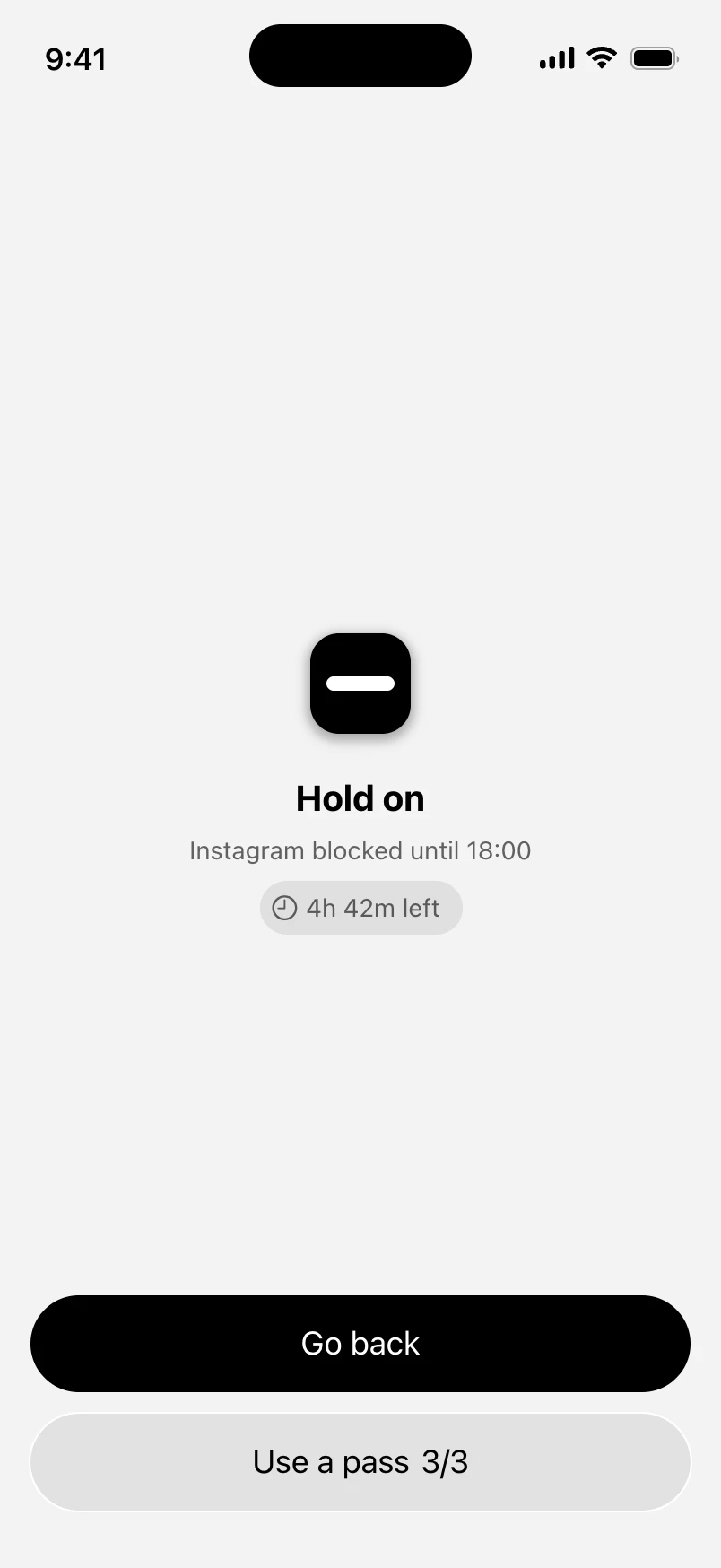
A shield that holds

When you hit a blocked app, you get one clear screen: go back, or use a pass. No soft escape.
Schedules that stick

Nights, work hours, or evenings. Pick the apps once, Hold On holds the window.

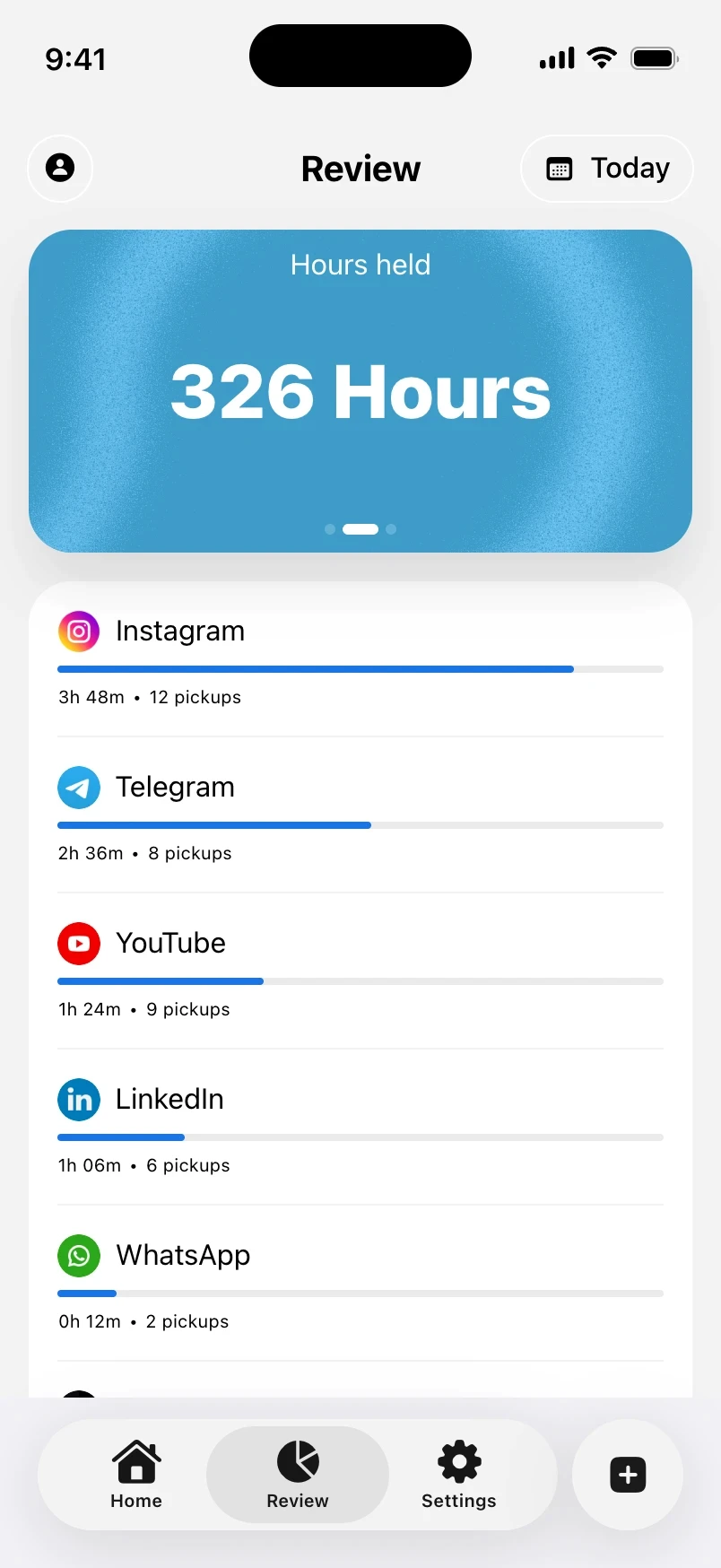
Proof you held on

Hours held and days held from real block windows, not Instagram scare stats.
Features

Built to hold.
Not to nag.
App groups

Block the apps that steal your focus, in one place.

Schedules

Nights, work hours, evenings, or your own window.

After time

Allow a stretch, then the shield comes up.

After times

A few opens through the shield. Then you’re done for the day.

Daily passes

A small unlock allowance. The streak still holds.

Review

Hours held and days held you can actually trust.

App groups

Block the apps that steal your focus, in one place.

Schedules

Nights, work hours, evenings, or your own window.

After time

Allow a stretch, then the shield comes up.

After times

A few opens through the shield. Then you’re done for the day.

Daily passes

A small unlock allowance. The streak still holds.

Review

Hours held and days held you can actually trust.

App groups

Block the apps that steal your focus, in one place.

Schedules

Nights, work hours, evenings, or your own window.

After time

Allow a stretch, then the shield comes up.

After times

A few opens through the shield. Then you’re done for the day.

Daily passes

A small unlock allowance. The streak still holds.

Review

Hours held and days held you can actually trust.

FAQs

Got questions? 

Here are the answers.

Does Hold On work without Screen Time access?

No. Apple’s Screen Time permission is required so blocks can actually hold.

Can I unlock if I really need an app?

Yes. You get a small daily pass allowance. Go back is always there.

Is there a free plan?

No free tier at launch. Yearly includes a 3-day trial so you can feel the block first.

What happens if I cancel?

You keep access until the end of the period you already paid for. Then the hard paywall returns.

Does my Screen Time data leave my phone?

No. Blocking stays on-device. We don’t upload your Screen Time to a server.

Need help? Email us at support@useholdon.app
One plan.
The block holds.

Yearly by default with a 3-day trial. Or go monthly. Cancel anytime — you keep access until the period ends.

Billed $49.99 a year · SAVE 48%

Pro Plan

$4

/month

Schedules, after time, and after times

Shield that holds, with daily passes

Hours held & days held in Review

On-device Screen Time, nothing uploaded

One plan.
The block holds.

Yearly by default with a 3-day trial. Or go monthly. Cancel anytime — you keep access until the period ends.

Billed $49.99 a year · SAVE 48%

Pro Plan

$4

/month

Schedules, after time, and after times

Shield that holds, with daily passes

Hours held & days held in Review

On-device Screen Time, nothing uploaded

4 Easy steps to get started

Hold the block.
Download Hold On today.

Download
Download

Get Hold On on the App Store.

Get Hold On on the App Store.

Sign in
Sign in

Sign in with Apple. That’s your identity on this device.

Sign in with Apple. That’s your identity on this device.

Allow Screen Time
Allow Screen Time

Grant access, pick the apps that pull you in.

Grant access, pick the apps that pull you in.

Start the trial
Start the trial

3 days on yearly. Then the block holds.

3 days on yearly. Then the block holds.